


You can download ChalletOS here:
https://sites.google.com/site/chaletoslinux/download/64bit


sudo add-apt-repository ppa:nilarimogard/webupd8
sudo apt update
sudo apt install purple-hangouts pidgin-hangouts sudo add-apt-repository ppa:nilarimogard/webupd8
sudo apt update
sudo apt install pidgin-skypeweb purple-skypeweb


sudo add-apt-repository ppa:screenlets/ppa
sudo apt update
sudo apt install screenlets screenlets-pack-allsudo add-apt-repository ppa:screenlets/ppa
sudo sed -i 's/yakkety/xenial/g' /etc/apt/sources.list.d/screenlets-ubuntu-ppa-yakkety.list
sudo apt update
sudo apt install screenlets screenlets-pack-all
Source: http://www.webupd8.org/2017/02/screenlets-desktop-widgets-fixed-for.html
sudo add-apt-repository ppa:libreoffice/ppa
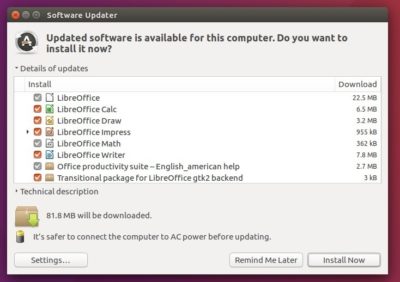

apt update && apt upgrade‘ command combo. LibreOffice 5.3, the latest stable release, is not available in the standard Ubuntu archives (excepting Zesty, which is in development).sudo snap install libreoffice
--edge flag.~/Pictures folder — or any folder, come to that. This may be an issue with my install. Your own mileage may vary.sudo snap install libreoffice --devmode
apt remove
it after a fresh install. I can’t do that with a snap, not without
removing the entire suite. Keep that in mind if unwanted apps bug you.



ssudo apt install radiotray python-xdg
ssudo add-apt-repository ppa:nilarimogard/webupd8
sudo apt update
sudo apt install radiotray-lite
sudo add-apt-repository ppa:haecker-felix/gradio-daily
sudo apt update
sudo apt install gradio


sudo add-apt-repository ppa:nilarimogard/webupd8
sudo apt update
sudo apt install curseradio


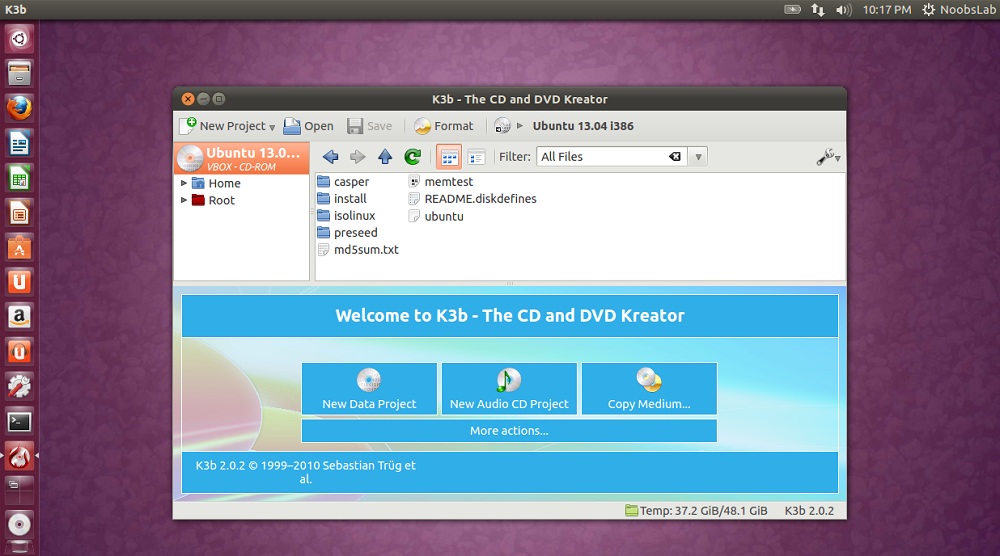
To burn Blu-ray follow these steps:
Settings > Configure K3b > Advanced > check Show advanced GUI Elements

Settings > Configure K3b > Programs, make sure cdrecord is checked/configured here

Make sure 'cdrecord' is selected in "Writing app"

Select 'No Multisession' under Misc Tab
 Features:
To install K3b in Ubuntu 13.04/12.10/12.04/11.10/11.04/10.10/10.04/Linux Mint 15/14/13/12/11/10 open Terminal (Press Ctrl+Alt+T) and copy the following commands in the Terminal: |
| Selene - encoders status |
| Selene Presets - filter options |
sudo apt-add-repository ppa:teejee2008/ppa
sudo apt-get update
sudo apt-get install selenecd /tmp
wget http://ftp6.nero.com/tools/NeroAACCodec-1.5.1.zip
unzip -j NeroAACCodec-1.5.1.zip linux/neroAacEnc
sudo install -m 0755 neroAacEnc /usr/bin
sudo apt-get install gpacsudo apt-get install libdvdread4
sudo /usr/share/doc/libdvdread4/install-css.shOn Ubuntu 15.10 and up, run the following command instead. Follow the instructions that appear in the terminal to install libdvdcss:
sudo apt-get install libdvd-pkgFor other Linux distributions, perform a web search for “install libdvdcss” and the name of your Linux distribution. You’ll find instructions and third-party repositories that should make the process easy.

sudo apt-get install vlc to install it from the command line.)
sudo apt-get install vlc libaacs0 libbluray-bdj libbluray1
mkdir -p ~/.config/aacs/
cd ~/.config/aacs/ && wget http://vlc-bluray.whoknowsmy.name/files/KEYDB.cfgIf you’re using another Linux distribution, you’ll want to install VLC and the appropriate libaacs0, libbluray-bdj, libbluray1 libraries. You can then run the second two commands to download the KEYDB.cfg file into the configuration directory.


sudo add-apt-repository ppa:heyarje/makemkv-beta
sudo apt-get update
sudo apt-get install makemkv-bin makemkv-ossYou’ll also need VLC installed, as described above. Once you have both programs, open the MakeMKV application from your menu, select your Blu-ray disc drive, and click the “Stream” icon on the toolbar. You’ll be given a local address.

http://localhost:51000/stream/title0.tsThe main movie is usually either “title0” or “title1”–choose the one that looks larger in MakeMKV.


