For January I've grown tired of the Beatles wallpaper, switched to something simpler and colorful for our dismal cold Winter weather upon us. Still using the same Tigris GTK Theme, gDesklets, and Avant Launcher. Also included is a weather gadget called Screenlets.
This month I setup text messaging using Pidgin. Using your AOL instant messenger User ID, just add your friends and family's text address as buddies. You can send and receive text messages right from within Pidgin. Below is the link how to do this:
http://features.engadget.com/2004/07/13/how-to-use-aol-instant-messenger-to-send-a-text-message-to-a/
January 31, 2009


November 16, 2008
Ubuntu 8.1 and a Beatles-MAC Theme
I've tried the latest offering of Ubuntu v8.10 "Intrepid Ibex" and had some stability problems. For very little new in the way of features, I've taken it off and returned to v8.041 LTS. I had video rendering problems with nVidia video cards. I'll wait for the v8.10 LTS (long term support) version.
This month I customized my desktop with the following tweaks:
- Beatles wallpaper
- Simdock
- gDesklets
- Tigris theme from gnome-look.org
- MAC4Lin icons and window title bar
- Audacious media player
- K3B CD/DVD burning software
- iFox Metal Firefox skin
- Thunderbird Email client
- Wine: running uTorrent and Picasa graphic viewer
Until next time...

This month I customized my desktop with the following tweaks:
- Beatles wallpaper
- Simdock
- gDesklets
- Tigris theme from gnome-look.org
- MAC4Lin icons and window title bar
- Audacious media player
- K3B CD/DVD burning software
- iFox Metal Firefox skin
- Thunderbird Email client
- Wine: running uTorrent and Picasa graphic viewer
Until next time...


September 20, 2008


September 19, 2008


September 1, 2008


December 2, 2007
Dress Up Your Desktop with Vista & MAC Themes
One of the great things about Linux is its ability to modify just about everything. One of my favorite pastimes is to change the skin or theme of my Linux desktop and applications. After all, when you spend hours on the computer, why shouldn't it be easy on the eyes and elegant.
Below are two Linux themes, one based on Windows Vista (Dark Ice Gnome Theme), and an Apple MAC OS X (MAC4LIN Gnome Theme)...


Below is the Thunderbird Email client with the Windows Vista Mail theme applied....

Below is my Linux Apple MAC Tiger OS X Theme along with the Avant Window Navigator launcher at the bottom.

Below are a sampling of desktop Linux apps showing off the MAC4LIN theme....

You can dress it up with some MAC4LIN icons available here....
http://www.gnome-look.org/content/show.php/Mac4Lin+Leopard+GTK+Icon+Theme?content=68413
Below are two Linux themes, one based on Windows Vista (Dark Ice Gnome Theme), and an Apple MAC OS X (MAC4LIN Gnome Theme)...


Below is the Thunderbird Email client with the Windows Vista Mail theme applied....

Below is my Linux Apple MAC Tiger OS X Theme along with the Avant Window Navigator launcher at the bottom.

Below are a sampling of desktop Linux apps showing off the MAC4LIN theme....

You can dress it up with some MAC4LIN icons available here....
http://www.gnome-look.org/content/show.php/Mac4Lin+Leopard+GTK+Icon+Theme?content=68413
October 26, 2007
Kiwi Linux 7.1 - Is My New Passion Fruit
In many Linux users' search of a distro that has ease of use, hardware compatibility, and multimedia add-ins preloaded, Kiwi Linux 7.1 fills the need. Built on Ubuntu 7.1 it has all the codecs, flash plugin, and MS True Type fonts included. It also adds the great multimedia player Audacious..(Xmms clone?). This distro only includes 3 languages, English, Romanian, and Hungarian. Below is the description from this week's DistroWatch...

Jani Monoses has announced the final release of Kiwi Linux 7.10, an Ubuntu-based distribution optimised for Romanian and Hungarian users and enhanced with multimedia codecs and other desktop conveniences: "The Kiwi 7.10 live CD for i386, based on Ubuntu 7.10, is available. Modifications to Ubuntu 7.10 include: Romanian and Hungarian localization and language support packages; removed Evolution, Rhythmbox, Ekiga, Asian fonts, and languages other than en, hu, ro; removed Windows applications from the live CD; added Audacious audio player, Inkscape, Thunderbird, Vim, Midnight Commander; replaced Totem GStreamer with Totem xine, added ffmpeg and libdvdcss2; included Firefox plugins for Java, Flash and MPlayer; improved networking support by enabling the pppoeconf GUI, adding firmware for the SpeedTouch USB modem...." Here is the brief release announcement. Download: kiwi-7.10.iso (702MB, MD5, torrent).
Details on Kiwi Linux 7.1 from Softpedia.com....
Kiwi description
Download
Kiwi is a free operating system based on Ubuntu Linux primarily targeted at users in Romania. The project comes on a single CD that can be used both as a live CD and for installing on the hard drive.Here are some key features of "Kiwi":·
-Localization and spell-checkers for Romanian and Hungarian·
-Better support for connecting to local ADSL providers (Romtelecom and RDS)
-NTFS write support via ntfs-3g on both the liveCD and on the installed system
-Adobe Flash 9 web-plugin
-Support for proprietary audio and video codecs
-Support for DVD playback using totem-xine (including encrypted DVDs)
-Miscellaneous apps (Inkscape for vector drawing, mc, vim)
-Customized artwork based on the original Ubuntu one
-Windows applications and language packs for languages not mentioned above were removed to make space
Why include proprietary software and non-open multimedia codecs?
We believe that while free data formats and free software are preferable to closed ones, compromises are acceptable when the alternative means even less freedom. We'd rather have our users run a combination of free operating system and proprietary codecs than only proprietary operating systems and software.
What is the relation to Ubuntu?
We plan on releasing versions keeping up with the latest Ubuntu. Features that are deemed appropriate for Ubuntu will be proposed for inclusion as we try to keep the differences contained to the packages that for various reasons are not included in Ubuntu. Who develops Kiwi?Most of the development work on Kiwi is supported by Startx SRL. Obviously the vast majority of what is on the CD is the work of the free software community of volunteers and paid developers who make Ubuntu, Debian, GNOME, Xorg, GNU/Linux and the rest of the free software ecosystem. The translations are the work of the Romanian and Hungarian free software localization teams and individual translators.
What's New in This Release:
· The Kiwi 7.10 live CD for i386, based on Ubuntu 7.10, is available. Modifications to Ubuntu 7.10 include: Romanian and Hungarian localization and language support packages; removed Evolution, Rhythmbox, Ekiga, Asian fonts, and languages other than en, hu, ro; removed Windows applications from the live CD; added Audacious audio player, Inkscape, Thunderbird, Vim, Midnight Commander; replaced Totem GStreamer with Totem xine, added ffmpeg and libdvdcss2; included Firefox plugins for Java, Flash and MPlayer; improved networking support by enabling the pppoeconf GUI, adding firmware for the SpeedTouch USB modem....
Below is a first-look from Softpedia.com ...
First Look: Kiwi Linux
- Yet another Ubuntu based Linux distribution!By: Marius Nestor, Linux Editor
Enlarge pictureKiwi is a Linux operating system based on the latest version of the popular Ubuntu Linux, Feisty Fawn. This distribution was created especially for the Romanian and Hungarian people, but it can also be used by all the English speakers out there. Probably you're wondering what else is special about this Linux distribution; well, let me tell you that in this OS you will find proprietary software and non-free codecs and the Adobe Flash plugin, because the developers think it's better for their users to run a combination of free operating system and proprietary codecs than only proprietary operating systems (like Windows) with free software.
The CD includes all the standard Ubuntu applications for your daily usage, like Firefox (with Romanian translation), Evolution, OpenOffice.org suite, but it also includes some cool packages like the Microsoft TrueType fonts, Compiz and the Audacious music player. On the other hand, they have removed the Spanish, German and French translations and the xmoto package, because of lack of space. The Romanian language is set by default when the CD boots, but you can easily change it to English or Hungarian just by pressing the F2 key.Highlights:• Localization and spell-checkers for Romanian and Hungarian• Support for proprietary audio and video codecs• Support for DVD playback using totem-xine (including encrypted DVDs)• Better support to connect to local ADSL providers (via Speedtouch USB modem)• NTFS write support via ntfs-3g on both the liveCD and on the installed system• Adobe Flash 9 web-plugin• Customized artwork based on the original Ubuntu one • Windows applications and language packs for languages not mentioned above were removed to make space• Miscellaneous apps (Inkscape for vector drawing, mc, vim)In conclusion, if you are a Romanian or Hungarian Linux user, then this CD is perfect for your needs, as it's based on Ubuntu and ships with proprietary software and codecs.Please enjoy some screenshots of Kiwi Linux:
You can download Kiwi Linux now from Softpedia.

The Audacious media player....includes codecs for mp3, flac, ogg, wmp, and wav, among others.....

Includes the MPlayer video player....to handle all video formats you can throw at it.....


Jani Monoses has announced the final release of Kiwi Linux 7.10, an Ubuntu-based distribution optimised for Romanian and Hungarian users and enhanced with multimedia codecs and other desktop conveniences: "The Kiwi 7.10 live CD for i386, based on Ubuntu 7.10, is available. Modifications to Ubuntu 7.10 include: Romanian and Hungarian localization and language support packages; removed Evolution, Rhythmbox, Ekiga, Asian fonts, and languages other than en, hu, ro; removed Windows applications from the live CD; added Audacious audio player, Inkscape, Thunderbird, Vim, Midnight Commander; replaced Totem GStreamer with Totem xine, added ffmpeg and libdvdcss2; included Firefox plugins for Java, Flash and MPlayer; improved networking support by enabling the pppoeconf GUI, adding firmware for the SpeedTouch USB modem...." Here is the brief release announcement. Download: kiwi-7.10.iso (702MB, MD5, torrent).
Details on Kiwi Linux 7.1 from Softpedia.com....
Kiwi description
Download
Kiwi is a free operating system based on Ubuntu Linux primarily targeted at users in Romania. The project comes on a single CD that can be used both as a live CD and for installing on the hard drive.Here are some key features of "Kiwi":·
-Localization and spell-checkers for Romanian and Hungarian·
-Better support for connecting to local ADSL providers (Romtelecom and RDS)
-NTFS write support via ntfs-3g on both the liveCD and on the installed system
-Adobe Flash 9 web-plugin
-Support for proprietary audio and video codecs
-Support for DVD playback using totem-xine (including encrypted DVDs)
-Miscellaneous apps (Inkscape for vector drawing, mc, vim)
-Customized artwork based on the original Ubuntu one
-Windows applications and language packs for languages not mentioned above were removed to make space
Why include proprietary software and non-open multimedia codecs?
We believe that while free data formats and free software are preferable to closed ones, compromises are acceptable when the alternative means even less freedom. We'd rather have our users run a combination of free operating system and proprietary codecs than only proprietary operating systems and software.
What is the relation to Ubuntu?
We plan on releasing versions keeping up with the latest Ubuntu. Features that are deemed appropriate for Ubuntu will be proposed for inclusion as we try to keep the differences contained to the packages that for various reasons are not included in Ubuntu. Who develops Kiwi?Most of the development work on Kiwi is supported by Startx SRL. Obviously the vast majority of what is on the CD is the work of the free software community of volunteers and paid developers who make Ubuntu, Debian, GNOME, Xorg, GNU/Linux and the rest of the free software ecosystem. The translations are the work of the Romanian and Hungarian free software localization teams and individual translators.
What's New in This Release:
· The Kiwi 7.10 live CD for i386, based on Ubuntu 7.10, is available. Modifications to Ubuntu 7.10 include: Romanian and Hungarian localization and language support packages; removed Evolution, Rhythmbox, Ekiga, Asian fonts, and languages other than en, hu, ro; removed Windows applications from the live CD; added Audacious audio player, Inkscape, Thunderbird, Vim, Midnight Commander; replaced Totem GStreamer with Totem xine, added ffmpeg and libdvdcss2; included Firefox plugins for Java, Flash and MPlayer; improved networking support by enabling the pppoeconf GUI, adding firmware for the SpeedTouch USB modem....
Below is a first-look from Softpedia.com ...
First Look: Kiwi Linux
- Yet another Ubuntu based Linux distribution!By: Marius Nestor, Linux Editor
Enlarge pictureKiwi is a Linux operating system based on the latest version of the popular Ubuntu Linux, Feisty Fawn. This distribution was created especially for the Romanian and Hungarian people, but it can also be used by all the English speakers out there. Probably you're wondering what else is special about this Linux distribution; well, let me tell you that in this OS you will find proprietary software and non-free codecs and the Adobe Flash plugin, because the developers think it's better for their users to run a combination of free operating system and proprietary codecs than only proprietary operating systems (like Windows) with free software.
The CD includes all the standard Ubuntu applications for your daily usage, like Firefox (with Romanian translation), Evolution, OpenOffice.org suite, but it also includes some cool packages like the Microsoft TrueType fonts, Compiz and the Audacious music player. On the other hand, they have removed the Spanish, German and French translations and the xmoto package, because of lack of space. The Romanian language is set by default when the CD boots, but you can easily change it to English or Hungarian just by pressing the F2 key.Highlights:• Localization and spell-checkers for Romanian and Hungarian• Support for proprietary audio and video codecs• Support for DVD playback using totem-xine (including encrypted DVDs)• Better support to connect to local ADSL providers (via Speedtouch USB modem)• NTFS write support via ntfs-3g on both the liveCD and on the installed system• Adobe Flash 9 web-plugin• Customized artwork based on the original Ubuntu one • Windows applications and language packs for languages not mentioned above were removed to make space• Miscellaneous apps (Inkscape for vector drawing, mc, vim)In conclusion, if you are a Romanian or Hungarian Linux user, then this CD is perfect for your needs, as it's based on Ubuntu and ships with proprietary software and codecs.Please enjoy some screenshots of Kiwi Linux:
You can download Kiwi Linux now from Softpedia.

The Audacious media player....includes codecs for mp3, flac, ogg, wmp, and wav, among others.....

Includes the MPlayer video player....to handle all video formats you can throw at it.....

September 30, 2007
Ubuntu Christmas Edition and Linux Mint Review
|
(Review) - With each passing month, I have watched Linux distributions avoid anything proprietary like it was the plague. The reasons behind these actions, while admirable, have been counterproductive as commercial ready distributions, such as Xandros, SuSE and Linspire, have been more than delighted to include proprietary drivers in the past. And to be honest, it has not been well received by those who oppose this position.
 In response, we've seen Novell flat out ban the inclusion of drivers that quite frankly add value to their distribution to the new Linux user. Regardless of the ethics behind including proprietary drivers with Linux distributions, it's happening even as some distributors are changing their practices in this perceived gray area of the GPL.
Even Simply Mepis is begrudgingly making arrangements to offer the code for distribution to those who have demanded it to be made public. The GPL has some long arms, but are they long enough?
Enter Linux Mint: Ubuntu with an Automatix Aftertaste. Even with Ubuntu's official position on the use of "Automatix" and the idea that you are on your own, the fact remains that it’s tools like this that have helped to propel Ubuntu into one of the top distributions of all time.
But the reality remains, it’s Ubuntu's perceived openness that both helped propel its adoption as well as hinder it. It's an interesting double edged sword as a large number of us from the Linux community have dropped our previous distributions in favor of using Ubuntu, but at the same time, we see people from the Windows world showing little patience with it when they discover that much of the things that they need to successfully make the switch are not included with this particular distribution.
Flash, proprietary media codecs, proprietary video drivers - none of these items are included with the standard Ubuntu install by default. Now it's worth pointing out that the codecs can easily be installed by simply activating the proper repositories and then adding the packages. But when it comes to installing video drivers, you have got to be kidding me.
 Granted I can download and install my NVIDIA drivers, edit my xorg.conf and even write a simple script to make toggling between dual and single monitors a snap. For most people, however, this is not realistic and a quick browse of the newbie section of the Ubuntu forums will show you what the aftermath of this looks like pretty quickly.
This is where "scripty" tools, such as Automatix, came to pass. For the most part, it works flawlessly for most people's software and codec installation needs. But a few versions back, I had tried to use it to install my NVIDIA drivers just to see how well it could tackle something like this. Perhaps it was me; maybe it was that version of Automatix. Whatever the cause may be, I had to reconfigure X and let me tell you, it was a mess.
I believe wholeheartedly that it was because of issues such as this that Linux Mint started to become so popular. At its core, it fills a need that Ubuntu is not willing to fill. And even though the legality of Linux Mint is still very much the subject of some fairly lively discussion these days, the fact remains that people are in love with it. Why, you ask? Simple. It does not take a Linux geek to get this distributions running exactly as you want it, right out of the box.
But even with the potential being offered by Linux Mint, it looks like there are others among us who believe they have what it takes to win the hearts and minds of new Linux users.
Ubuntu Christmas Edition. It’s poorly named, but the feature list is impressive regardless of the strange naming scheme. Ubuntu Christmas edition is not all sunshine and lollipops though. Even with the impressive work that has obviously been put into this future masterpiece, it should be made clear that reports of some fairly major bugs are quite prevalent.
No matter, its remains a fantastic non-commercial distribution that offers more than anyone would have ever believed a year ago was even possible, especially considering the addition of a Beryl 3D effects installer. Even though NVIDIA is still not supported for this Beryl offering, it's a fantastic start.
A Mint Before Christmas. It should be disclosed right off the bat that while I have tested Linux Mint over the course of a week, I have had zero testing put into Ubuntu Christmas edition. Still, the fact that Christmas edition has decided to include Automatix bleeder edition is just one of the indicators that this is likely to be considered a beta distribution at best at this point. Don't misunderstand me; I’m excited to see what the next release looks like. However, I’m just not seeing the community rallying up that I have seen with Linux Mint.
 For my money (figuratively speaking), I believe that Linux Mint will come out the winner in the long run. The key reason is the ongoing support of the community that Linux Mint has been receiving lately. Therefore, if you are looking to try Linux for the first time, understand that in Linux, it’s best to have a dedicated machine with non-big box hardware (Dell, Compaq, HP…), then I would recommend giving Linux Mint a serious once over.
September 29, 2007
Linux Mint v3.1 Test Drive
A Test Drive with Celena
- a.k.a. Linux Mint 3.1
The final version of Linux Mint 3.1 (codename Celena) burst onto the Linux scene two days ago. It’s based on Cassandra and is compatible with Ubuntu Feisty and its repositories.
Linux Mint is an elegant, up to date and comfortable GNU/Linux desktop distribution based on the very popular Ubuntu distribution. It offers paid commercial support to companies and individuals. Free community support is also available from the forums and the IRC channel.
So, I wanted to see what Celena brings new into the Linux scene and I took "her" for a test drive. First of all, I should mention that it brings many new features and tools, all for an easy usage.
Get Ready, Get Set, Go!
I've inserted the Linux Mint Celena CD in my optical drive and started to boot from it. The boot options are fewer than in an original Ubuntu release, but if you're a Linux Mint fan, you should be used to that. I really like the new boot splash and the GNOME splash they've created for this release. A very important thing to mention is the fact that from the very moment I've hit the "Start Linux Mint" option from the boot menu, until the desktop appeared, it took no more than 2 minutes.
The Installation
The Live CD review ends here, as we prepare for the installation part. In order to achieve this task, double click the Install icon from the desktop and follow all the 7 easy steps of the installer, just like you’d do on a regular Ubuntu installation. In about 8 to 10 minutes (depending on your computer specs) you will have Linux Mint 3.1 Celena installed on your computer.
After the installation, I've rebooted the PC and Linux Mint started immediately. It took exactly 32 seconds to arrive to the login screen (which was also redesigned to include the new artwork), on our AMD Sempron 2800+, 512 RAM machine. Surprise, surprise... after you enter the username and password, you won’t see the desktop, as you’ve been used to; instead, you will see a new tool that was implemented in this release, called "mintAssistant", which will guide you through some basic configuration steps for the system, like the possibility to enable the root account (and set up a password for it), enable NTFS and FAT32 partition from your Windows installation (if you have one) and enable fortunes in the terminal (just for fun).
Thank you for choosing Linux Mint. Your system is now ready to use.
This is what you will see after you've finished with mintAssistant. Once again, I see the new artwork, this time it was implemented in the wallpaper, and it looks pretty cool. The GNOME theme they've used in this release is the same you've seen in Cassandra and it's composed of the following elements:
• The Controls are 'Murrina-IndustrialSM'
• The Window Border is 'Murrine'
• The Icons theme is called 'Cassandra'
The desktop looks very clean, simple, but kinda dark (or is it just me?). There's only one panel, placed at the bottom of the screen, and not two like you are used to seeing in major GNOME distributions such as Ubuntu or Fedora. The tray area is even cleaner than before, there's only the NetworkManager Applet, the Volume Applet and of course, the clock/calendar applet. On the right side, it's the Main Menu, Tomboy shortcut and the "always needed" Show Desktop button.
The Main Menu is very intuitive, if you navigate through all the main software categories you will see that every category opens automatically. Simple and useful as it saves you a lot of time.
Let's have a quick look at the installed applications:
• OpenOffice.org
• Mozilla Thunderbird
• Mozilla Firefox
• Mozilla Sunbird
• Amarok
• Mplayer
• Pidgin
• Gimp
• XChat
• GParted
• Envy
• Beryl
When I started Firefox in Cassandra, I was surprised when I saw the start page. Ha! Wait to see the start page in Celena. It's amazing, beautiful, you have to see this, it's....magical! It's a very nicely customized Google search page!
The usual Wikimint, Software Portal, Community Forum and Official Website links are visible in the bookmarks toolbar, for a quick access.
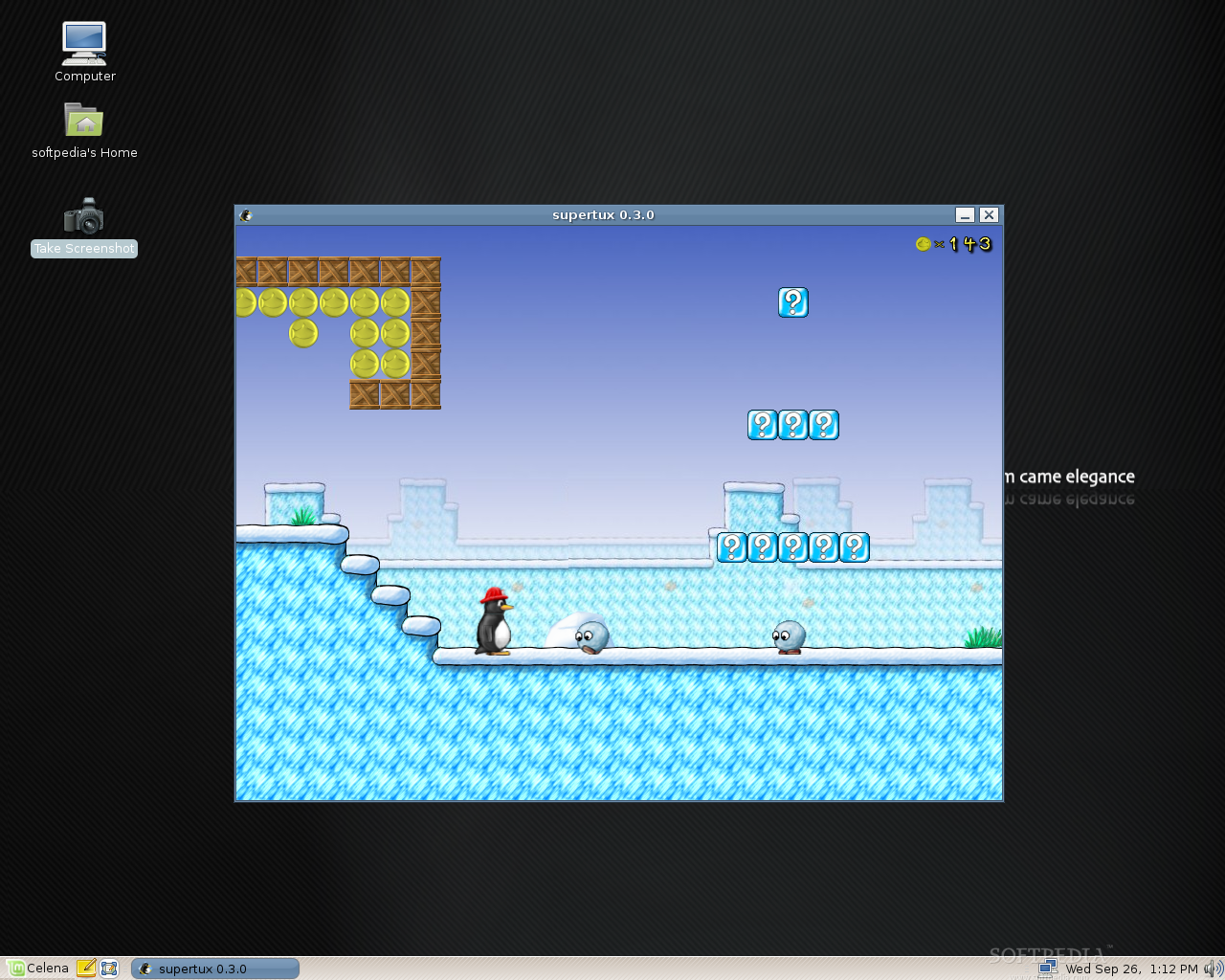
Did I say games? No problem at all for Linux Mint, as you can install many wonderful games from the software portal. When I said earlier that I was disappointed that there are no games in Linux Mint, it was because I wanted to play Mahjongg during the installation process. So, I've headed to the software portal and decided to install SuperTux (one of my favorite games). The installation took a couple of minutes, with no problems whatsoever. The only thing I had to do was to install the Nvidia driver for my video card. That was also simple with the help of Restricted Drivers Manager software. Of course that there are many other ways to install the video drivers for your graphics card in Linux Mint, like for example through the Envy application, via Synaptic Package Manager or from the terminal (if you're an expert).
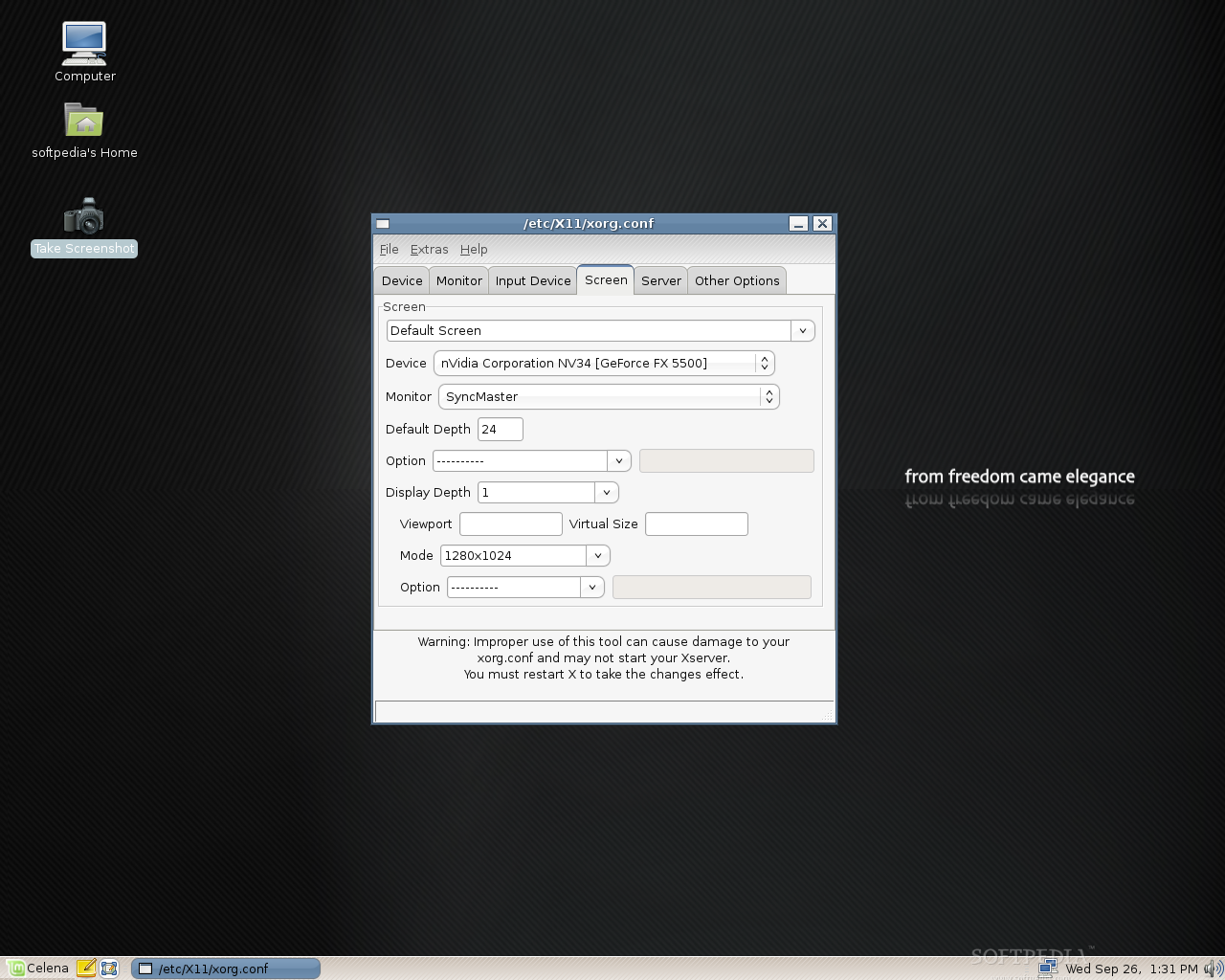
And since we've talked about the video drivers’ installation, get ready to edit the xorg.conf like you never did before. No more terminals if you want to edit your xorg.conf file, because Linux Mint has an application called XServer-Xorg Editor. Take a look at some screenshotst, below:
Conclusions
The system looks quite nice, I like the new artwork even if it's dark; it's fast, it includes almost all the applications and tools you'll ever need for your usual tasks and if you cannot find something you need, I suggest you try the Software Portal that Linux Mint created for FREE. Give Linux Mint Celena a try and I bet it will be love at first sight (after Cassandra, of course)!
You can download Linux Mint 3.1 Celena right now from Softpedia.


Linux Mint is an elegant, up to date and comfortable GNU/Linux desktop distribution based on the very popular Ubuntu distribution. It offers paid commercial support to companies and individuals. Free community support is also available from the forums and the IRC channel.
So, I wanted to see what Celena brings new into the Linux scene and I took "her" for a test drive. First of all, I should mention that it brings many new features and tools, all for an easy usage.
Get Ready, Get Set, Go!
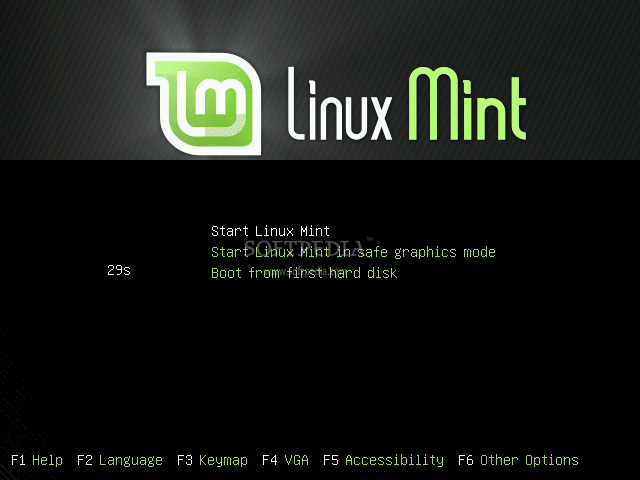
I've inserted the Linux Mint Celena CD in my optical drive and started to boot from it. The boot options are fewer than in an original Ubuntu release, but if you're a Linux Mint fan, you should be used to that. I really like the new boot splash and the GNOME splash they've created for this release. A very important thing to mention is the fact that from the very moment I've hit the "Start Linux Mint" option from the boot menu, until the desktop appeared, it took no more than 2 minutes.
 |  |  |
The Installation
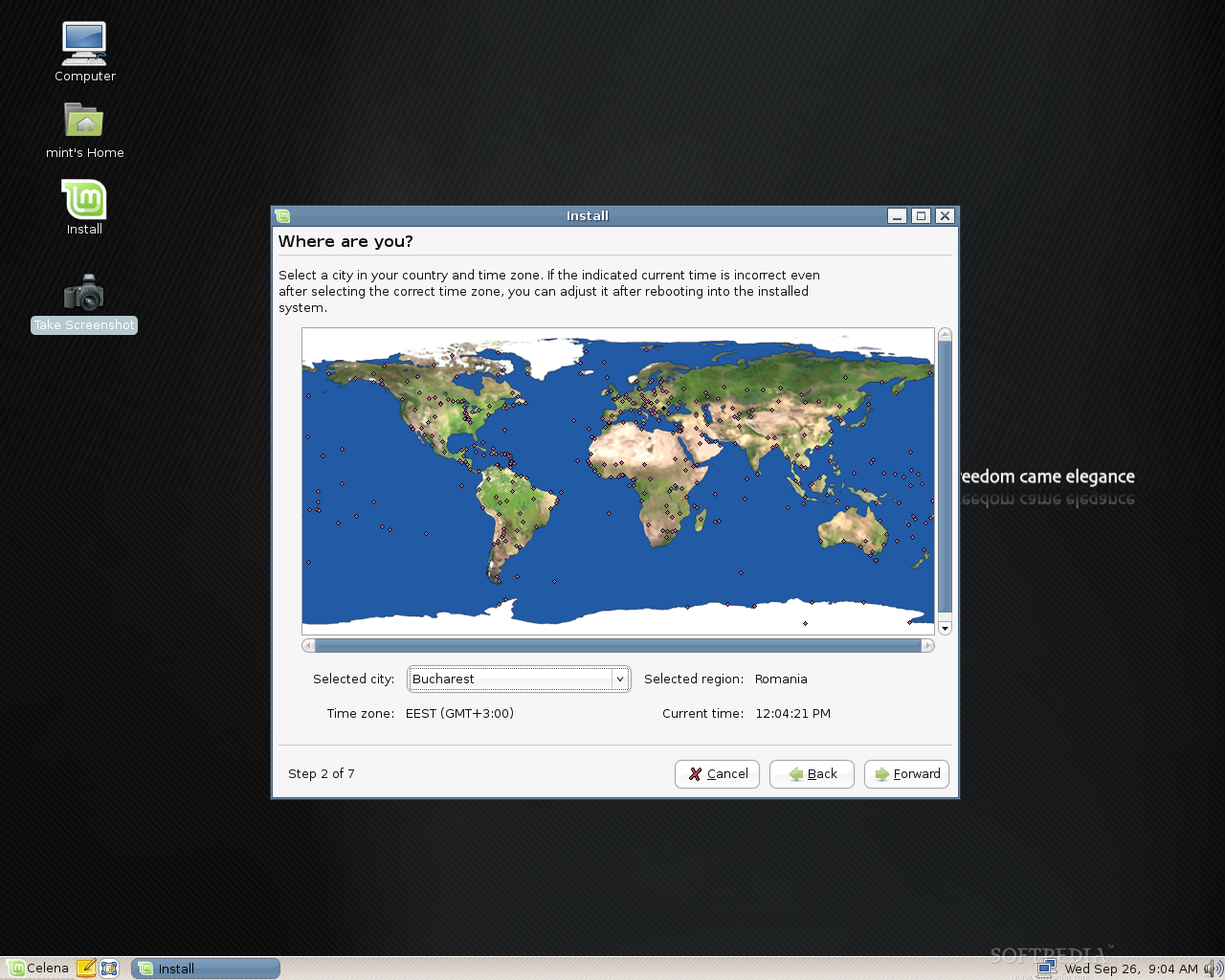
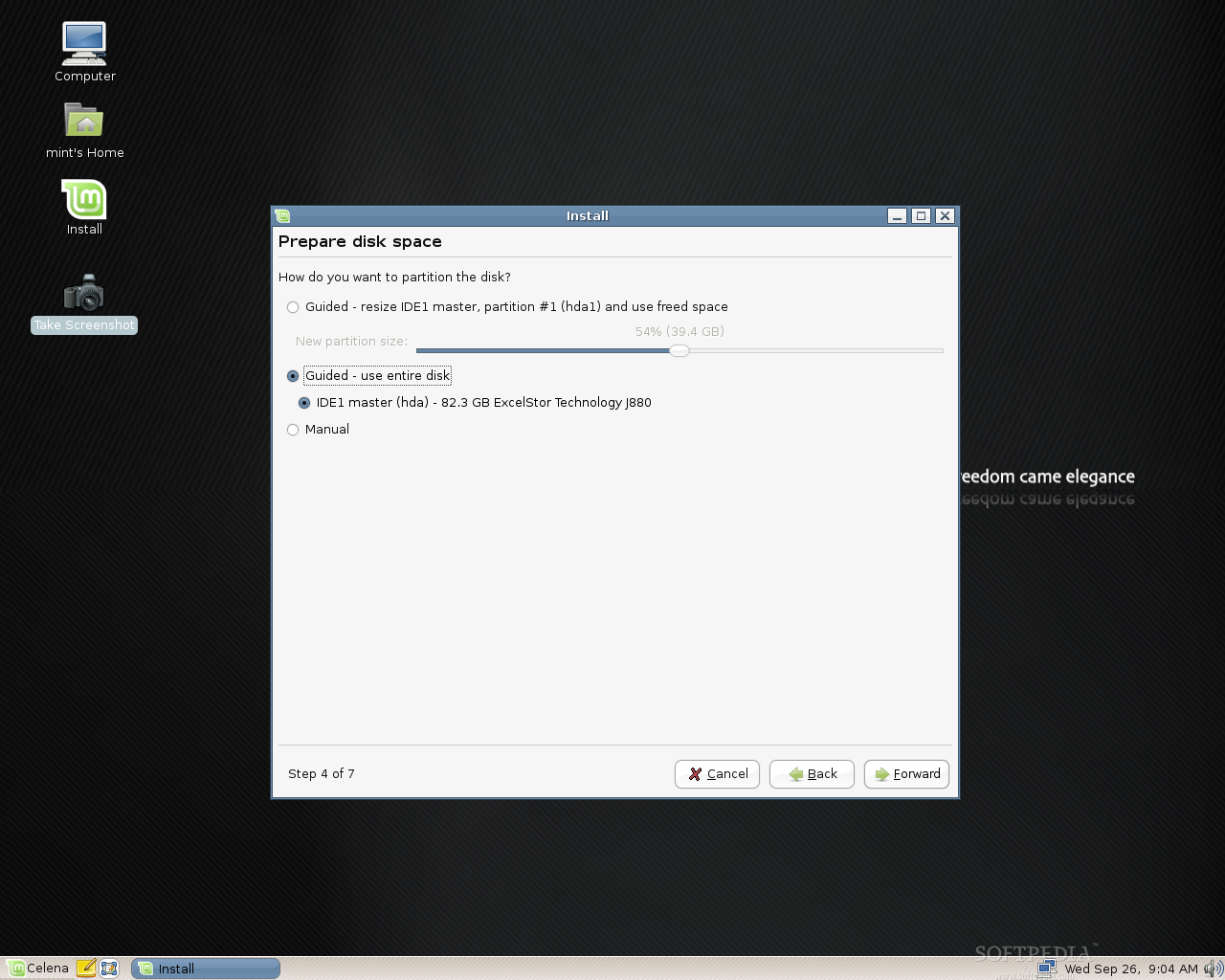
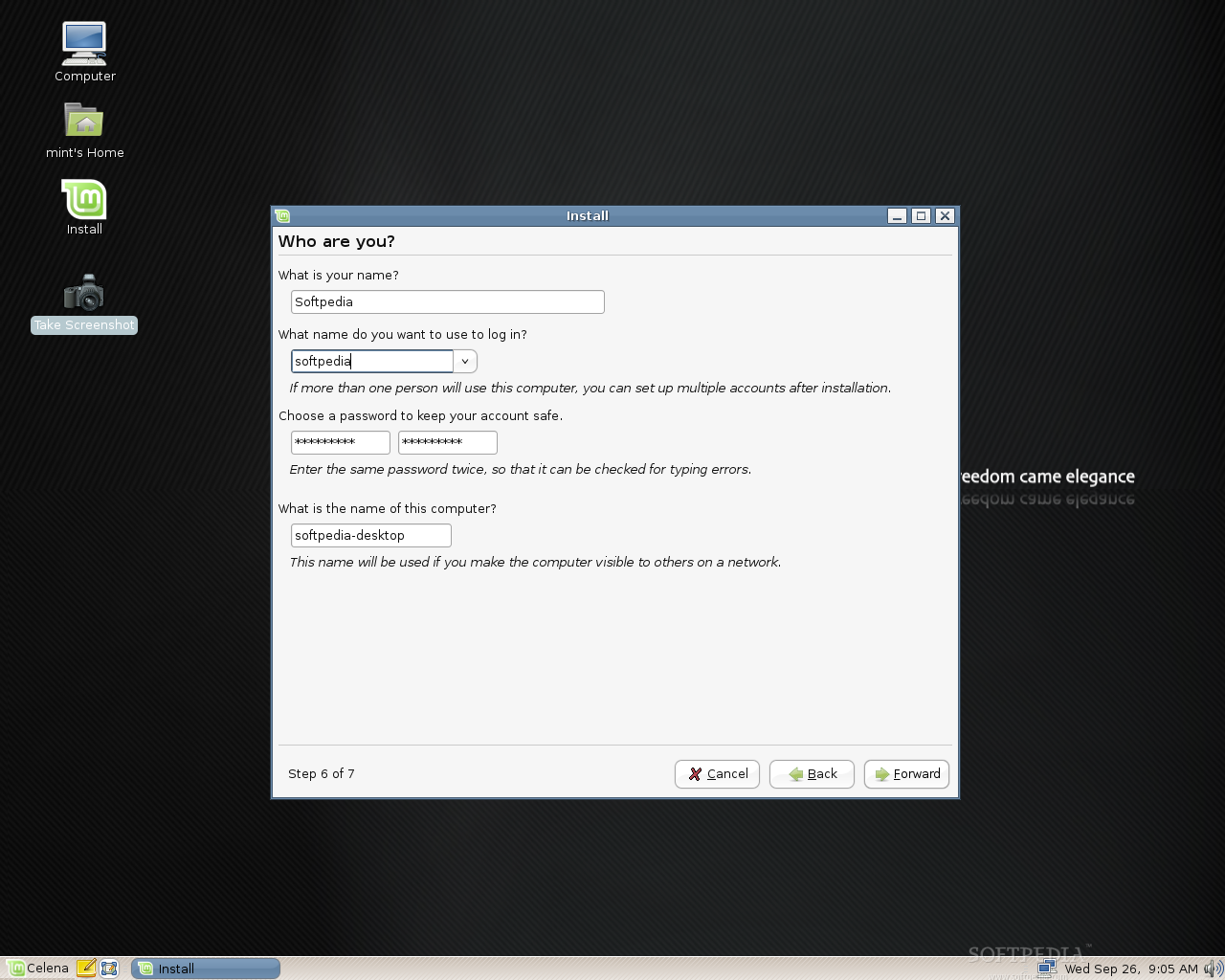
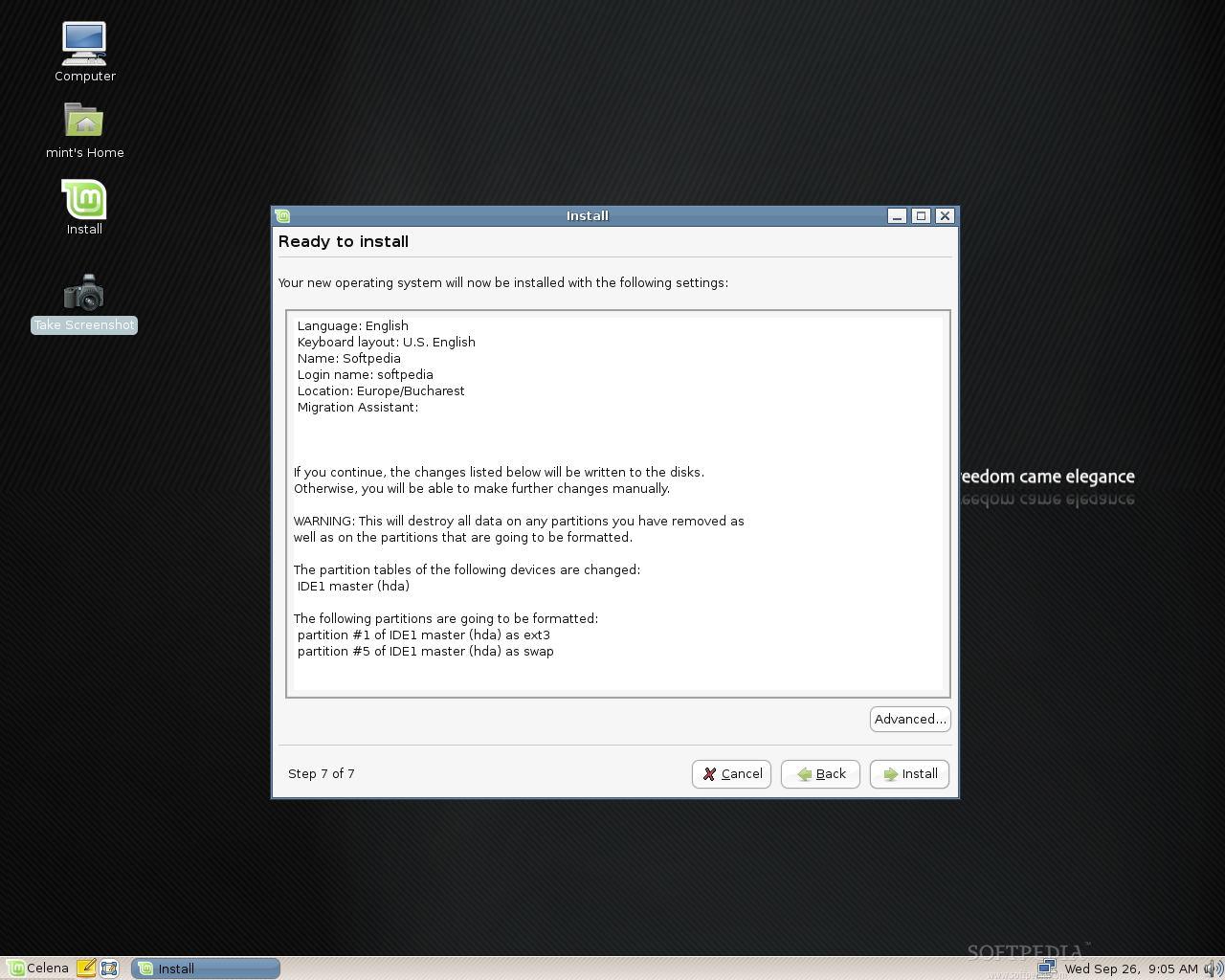
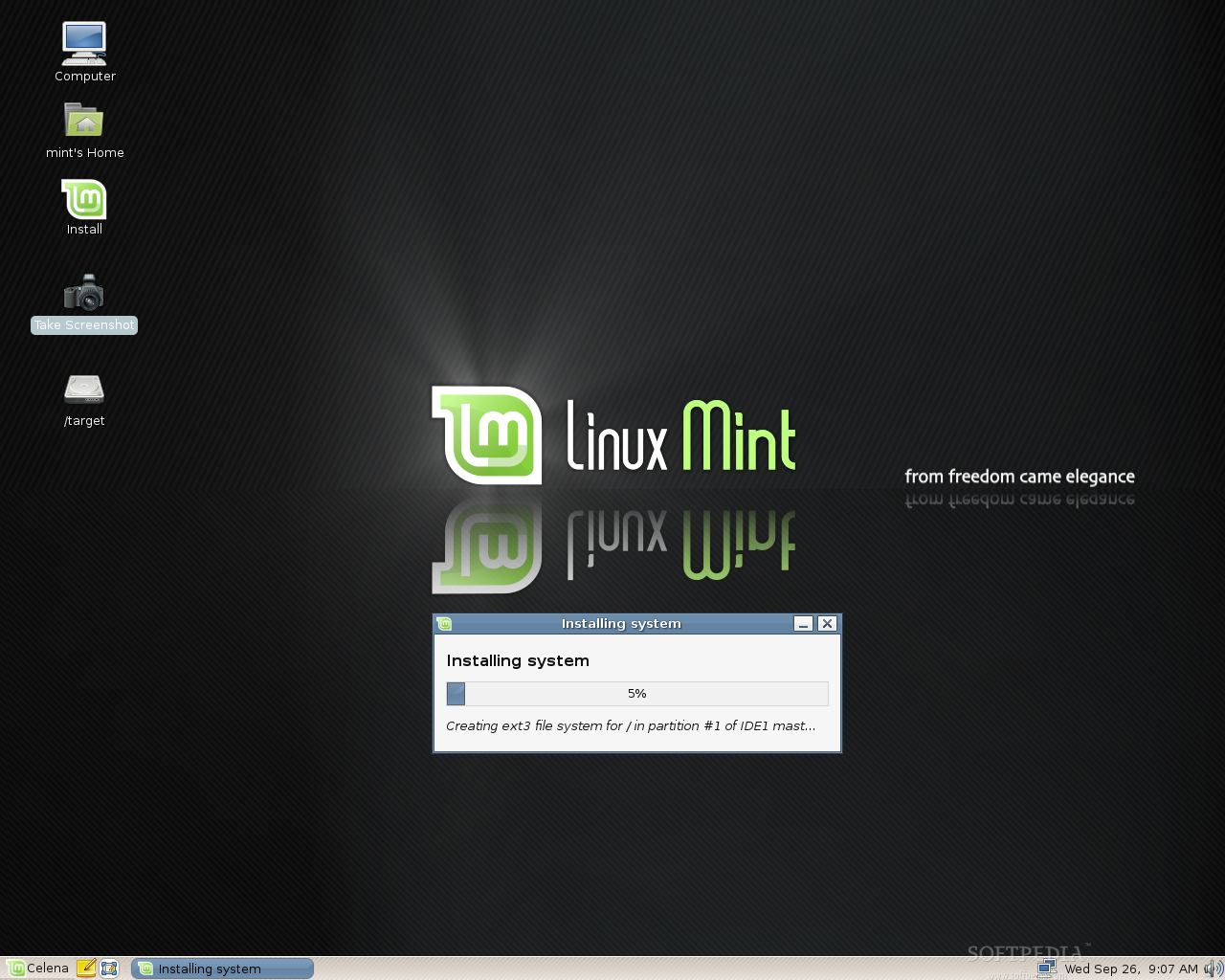
The Live CD review ends here, as we prepare for the installation part. In order to achieve this task, double click the Install icon from the desktop and follow all the 7 easy steps of the installer, just like you’d do on a regular Ubuntu installation. In about 8 to 10 minutes (depending on your computer specs) you will have Linux Mint 3.1 Celena installed on your computer.
 |  |  |
 |  |  |
After the installation, I've rebooted the PC and Linux Mint started immediately. It took exactly 32 seconds to arrive to the login screen (which was also redesigned to include the new artwork), on our AMD Sempron 2800+, 512 RAM machine. Surprise, surprise... after you enter the username and password, you won’t see the desktop, as you’ve been used to; instead, you will see a new tool that was implemented in this release, called "mintAssistant", which will guide you through some basic configuration steps for the system, like the possibility to enable the root account (and set up a password for it), enable NTFS and FAT32 partition from your Windows installation (if you have one) and enable fortunes in the terminal (just for fun).
Thank you for choosing Linux Mint. Your system is now ready to use.
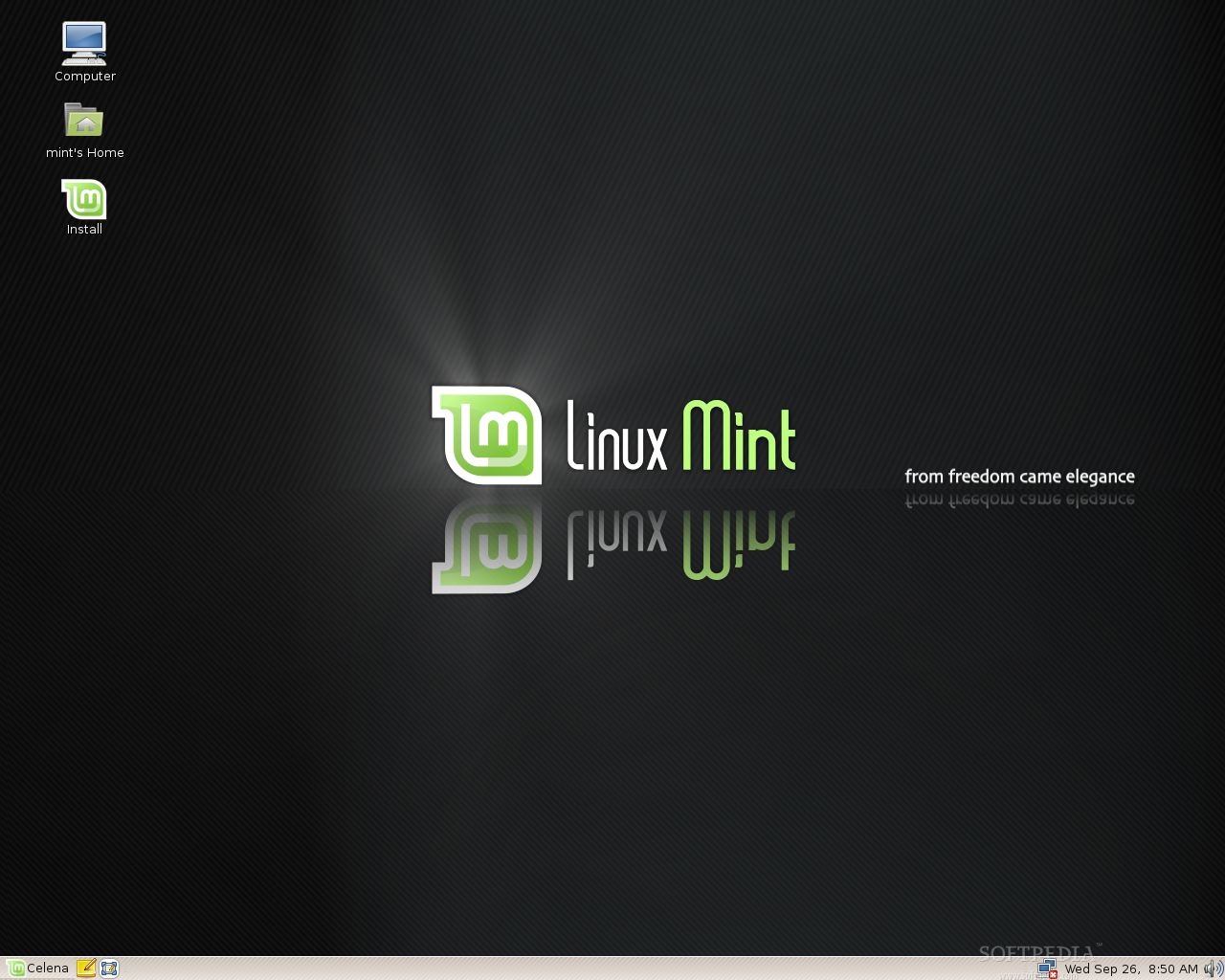
This is what you will see after you've finished with mintAssistant. Once again, I see the new artwork, this time it was implemented in the wallpaper, and it looks pretty cool. The GNOME theme they've used in this release is the same you've seen in Cassandra and it's composed of the following elements:
• The Controls are 'Murrina-IndustrialSM'
• The Window Border is 'Murrine'
• The Icons theme is called 'Cassandra'
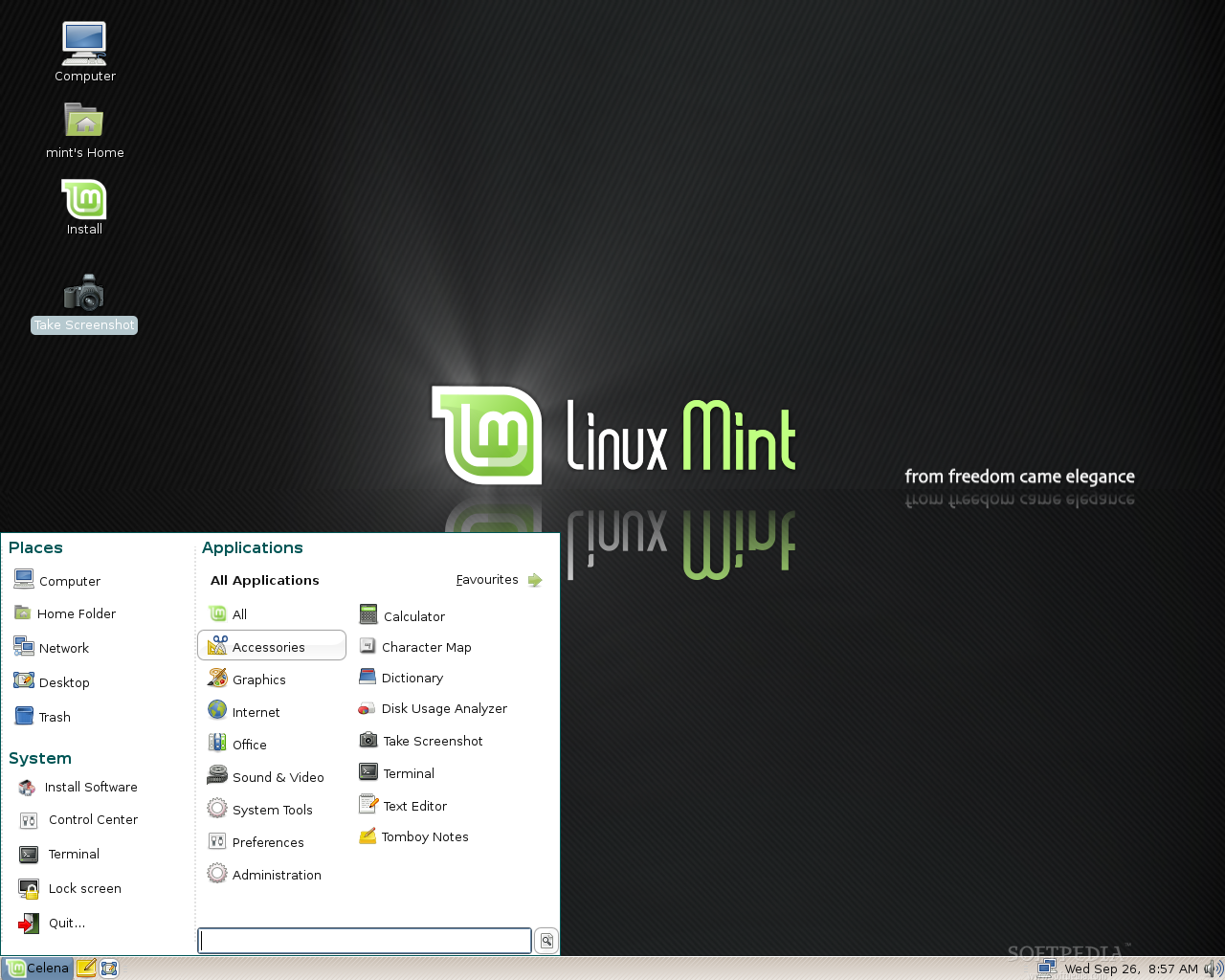
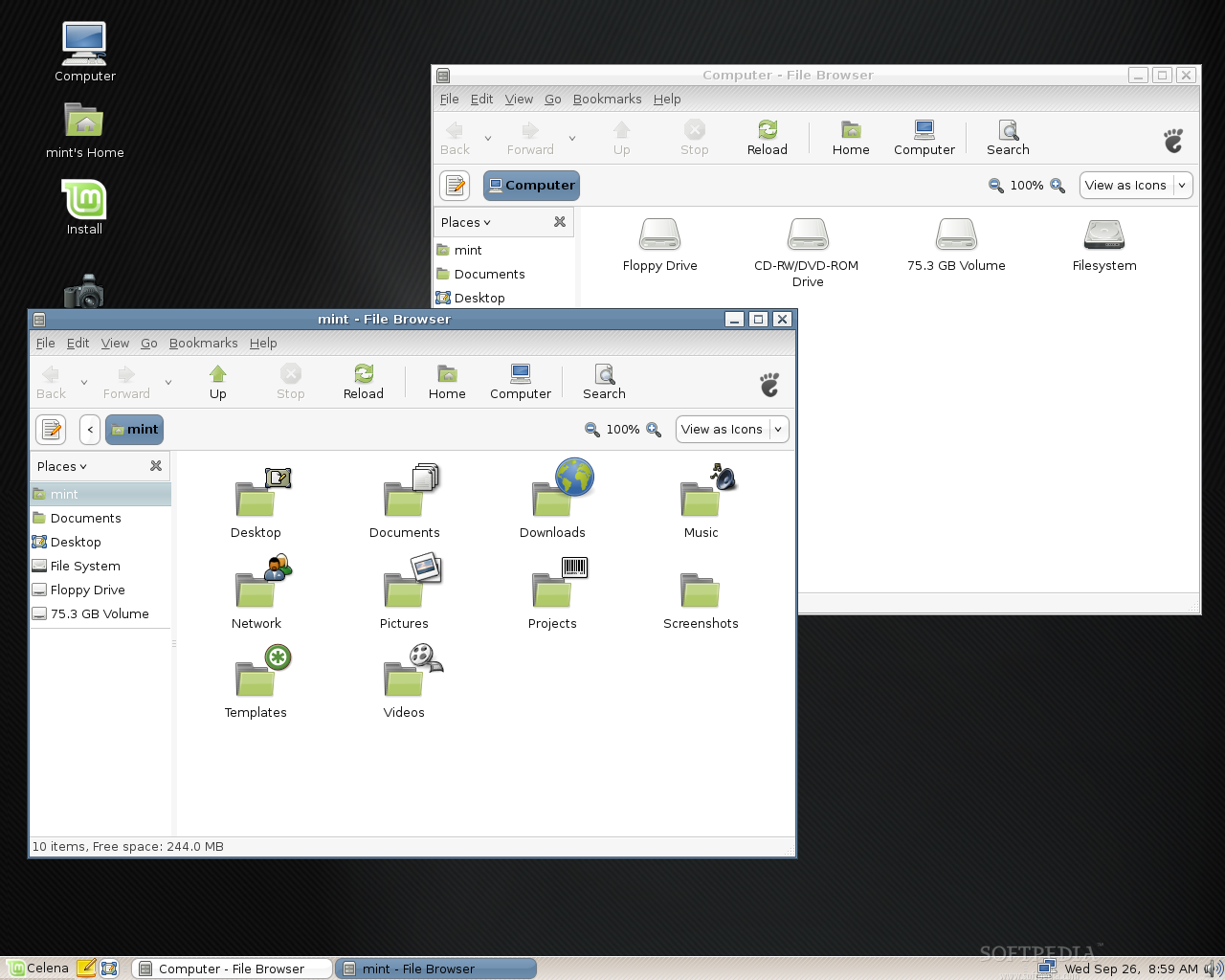
The desktop looks very clean, simple, but kinda dark (or is it just me?). There's only one panel, placed at the bottom of the screen, and not two like you are used to seeing in major GNOME distributions such as Ubuntu or Fedora. The tray area is even cleaner than before, there's only the NetworkManager Applet, the Volume Applet and of course, the clock/calendar applet. On the right side, it's the Main Menu, Tomboy shortcut and the "always needed" Show Desktop button.
The Main Menu is very intuitive, if you navigate through all the main software categories you will see that every category opens automatically. Simple and useful as it saves you a lot of time.
 |  |  |
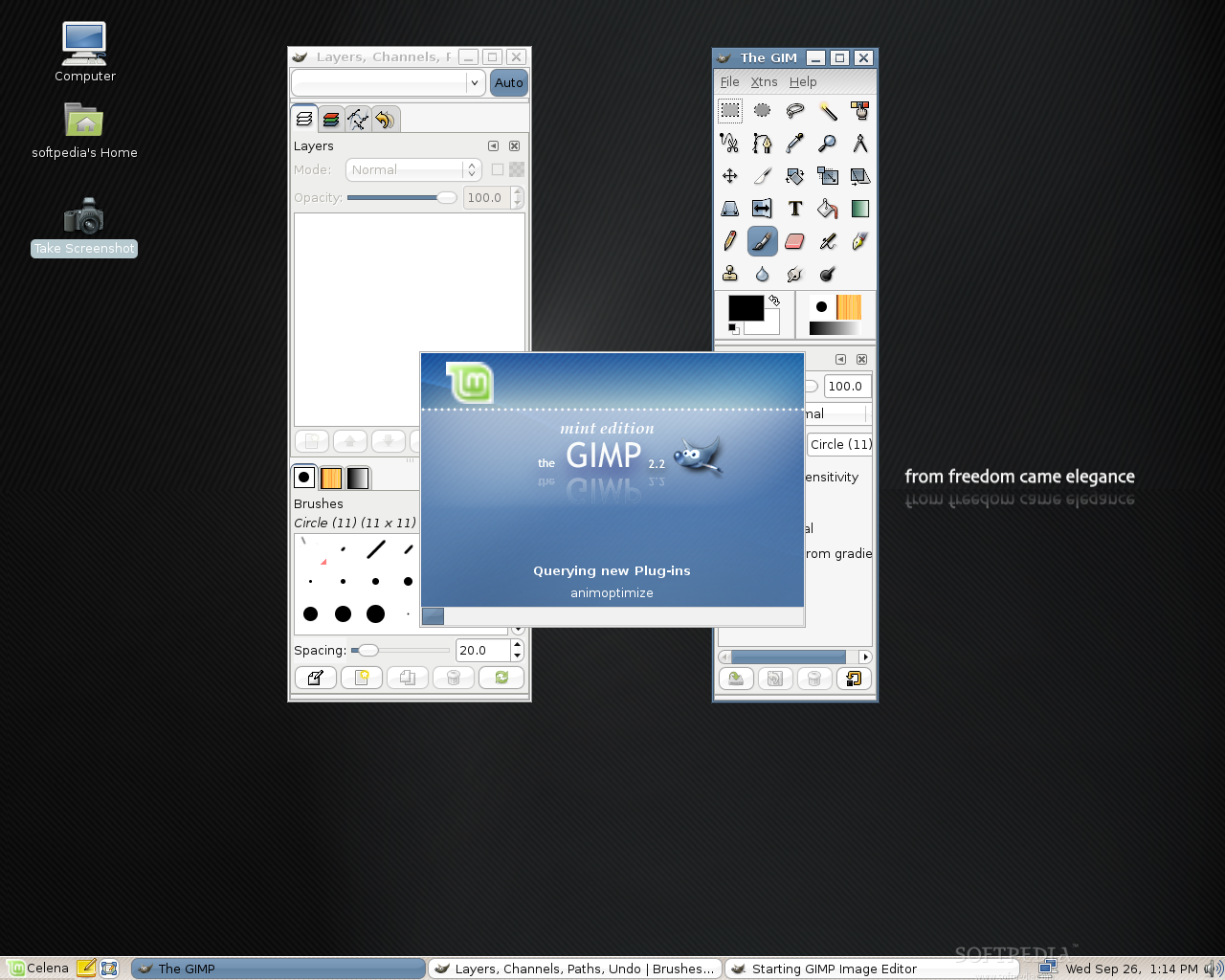
Let's have a quick look at the installed applications:
• OpenOffice.org
• Mozilla Thunderbird
• Mozilla Firefox
• Mozilla Sunbird
• Amarok
• Mplayer
• Pidgin
• Gimp
• XChat
• GParted
• Envy
• Beryl
 | 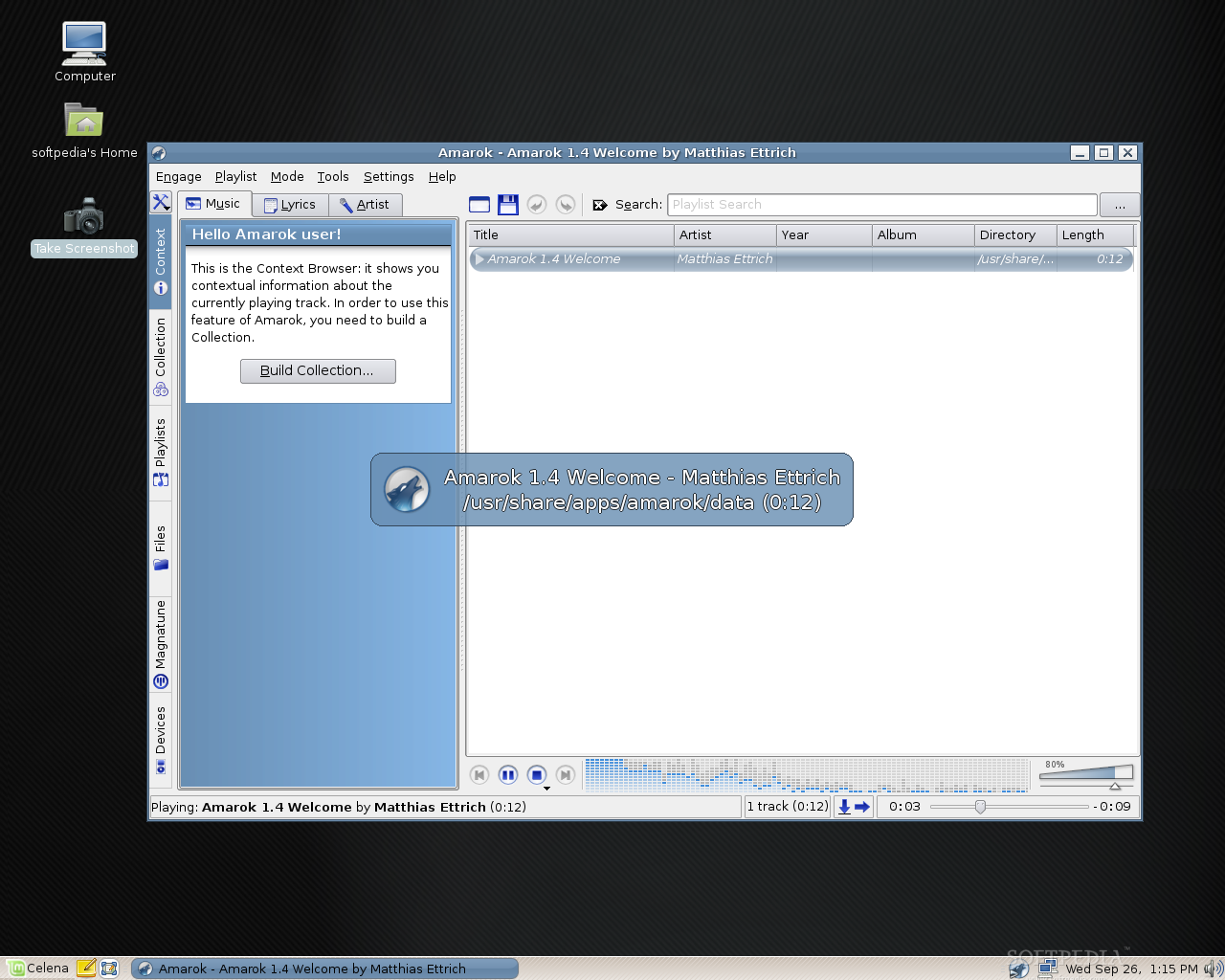 |  |
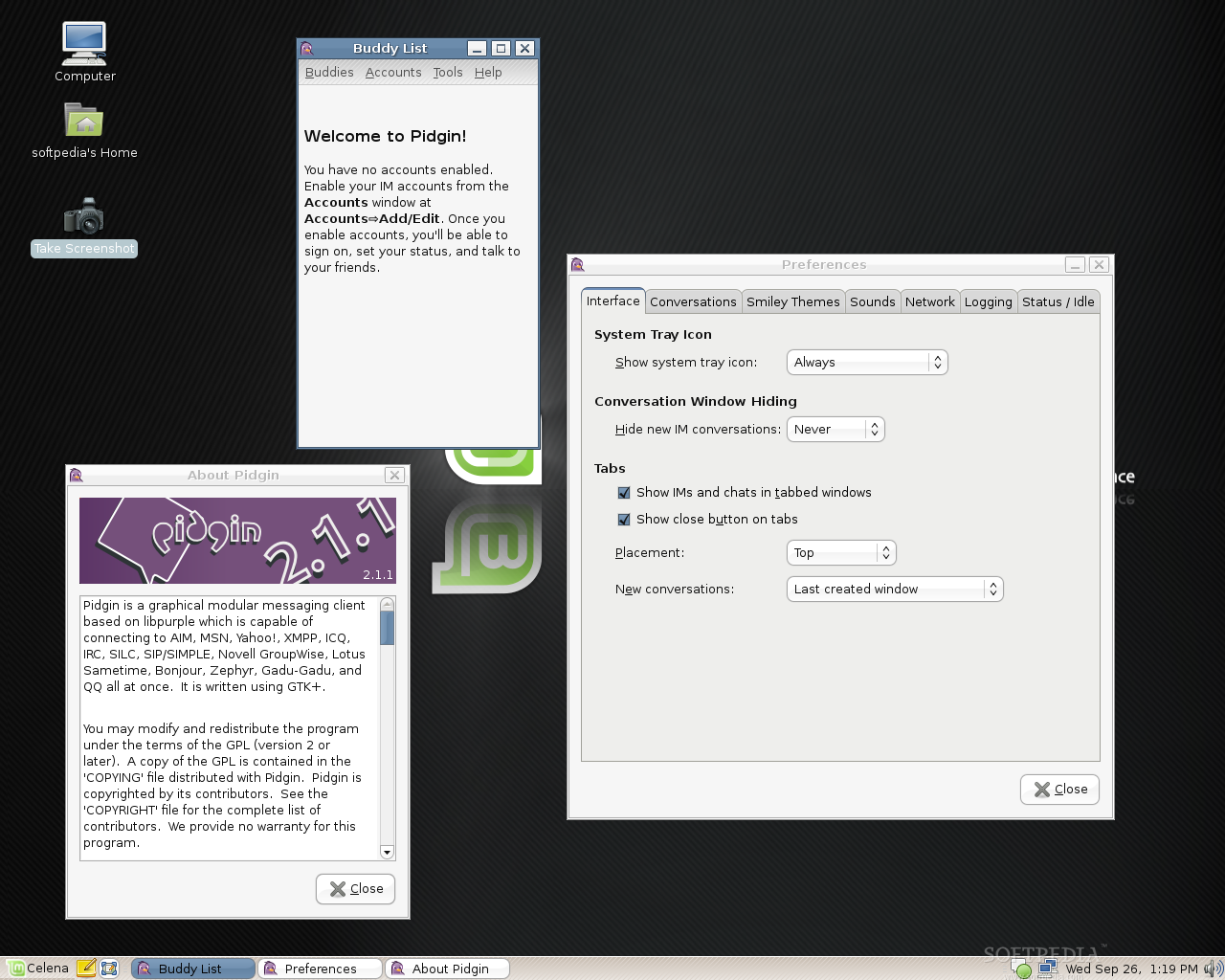 |  | 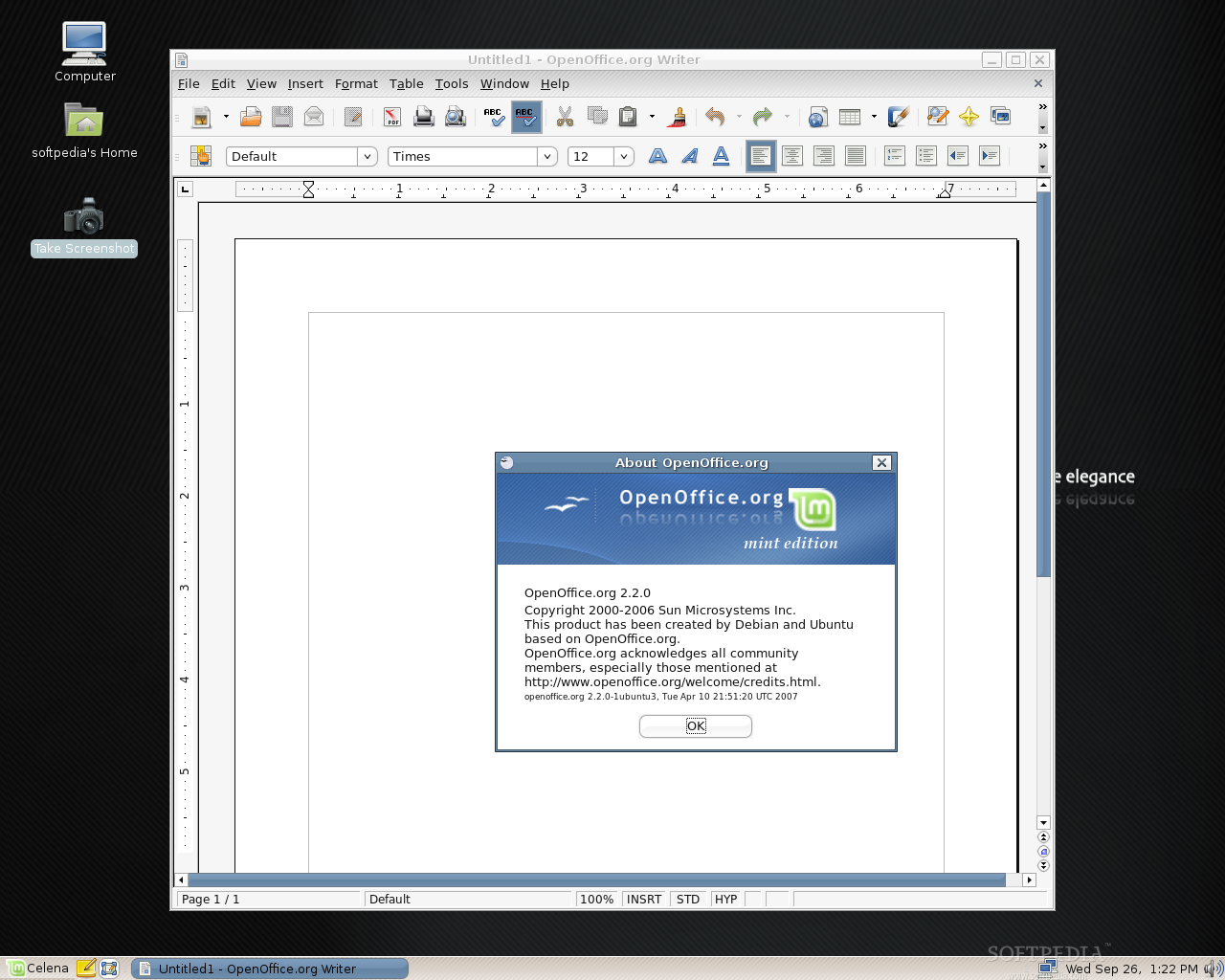 |
When I started Firefox in Cassandra, I was surprised when I saw the start page. Ha! Wait to see the start page in Celena. It's amazing, beautiful, you have to see this, it's....magical! It's a very nicely customized Google search page!
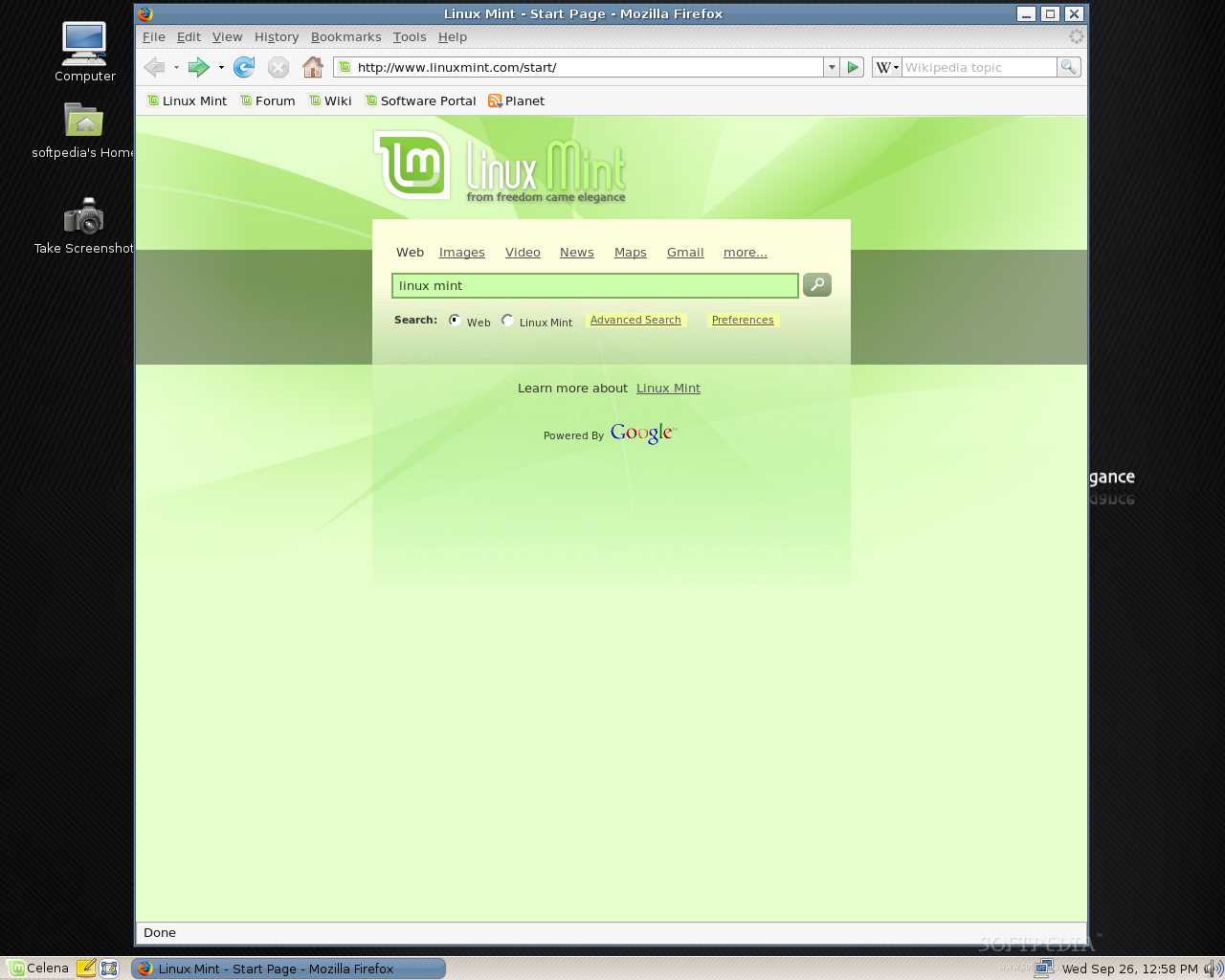 | 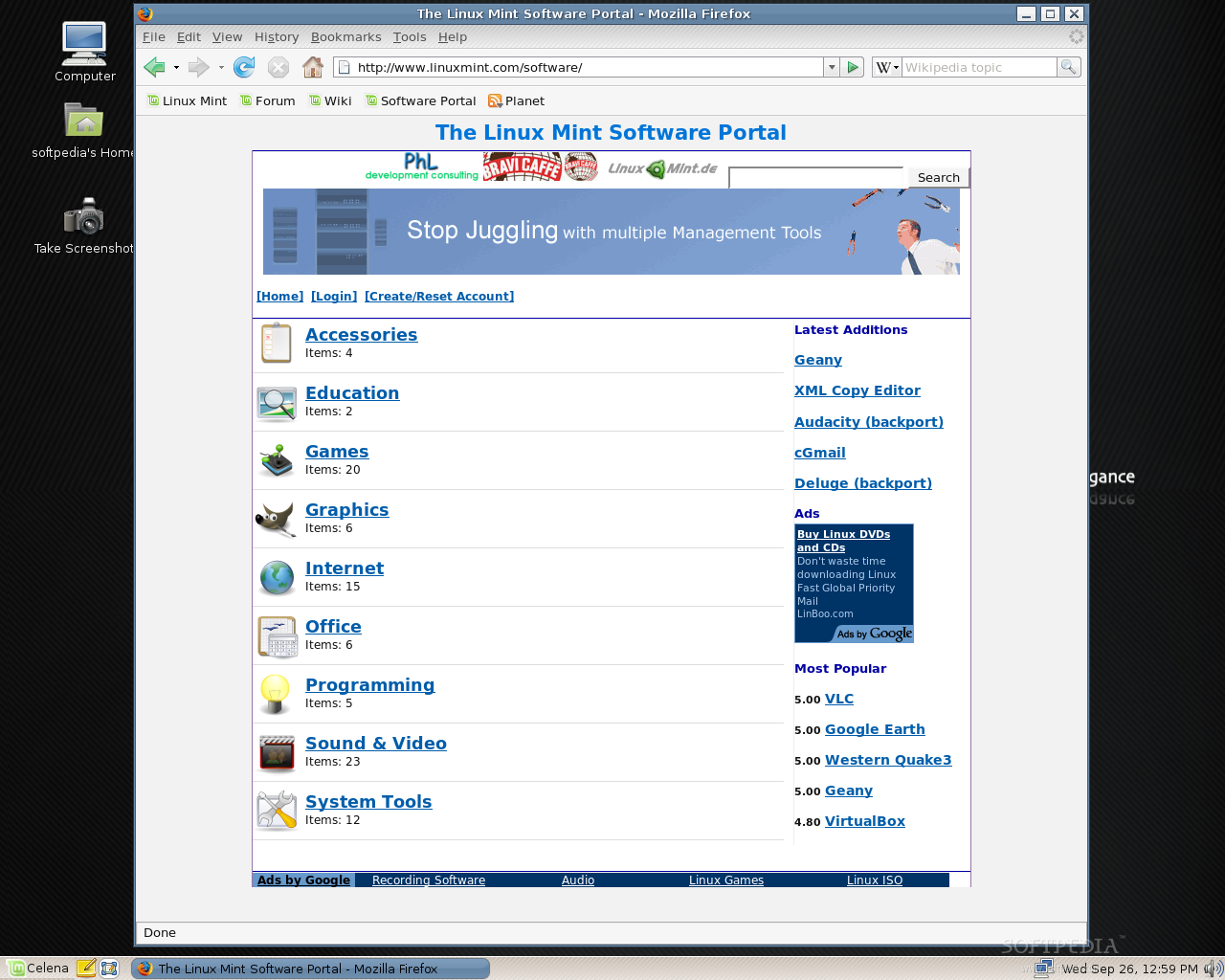 |
The usual Wikimint, Software Portal, Community Forum and Official Website links are visible in the bookmarks toolbar, for a quick access.
Did I say games? No problem at all for Linux Mint, as you can install many wonderful games from the software portal. When I said earlier that I was disappointed that there are no games in Linux Mint, it was because I wanted to play Mahjongg during the installation process. So, I've headed to the software portal and decided to install SuperTux (one of my favorite games). The installation took a couple of minutes, with no problems whatsoever. The only thing I had to do was to install the Nvidia driver for my video card. That was also simple with the help of Restricted Drivers Manager software. Of course that there are many other ways to install the video drivers for your graphics card in Linux Mint, like for example through the Envy application, via Synaptic Package Manager or from the terminal (if you're an expert).
 |  |
And since we've talked about the video drivers’ installation, get ready to edit the xorg.conf like you never did before. No more terminals if you want to edit your xorg.conf file, because Linux Mint has an application called XServer-Xorg Editor. Take a look at some screenshotst, below:
 |  |  |
Conclusions
The system looks quite nice, I like the new artwork even if it's dark; it's fast, it includes almost all the applications and tools you'll ever need for your usual tasks and if you cannot find something you need, I suggest you try the Software Portal that Linux Mint created for FREE. Give Linux Mint Celena a try and I bet it will be love at first sight (after Cassandra, of course)!
You can download Linux Mint 3.1 Celena right now from Softpedia.
Subscribe to:
Posts (Atom)